This post is from our Windows Phone 7 archive. For our current coverage of AI assistants and Microsoft Copilot, see our 2026 best AI assistants in the UK for 2026.
Read the 2026 best AI assistants in the UK for 2026 guide →UPDATED · News · 26 May 2011 · MTW Editorial Team

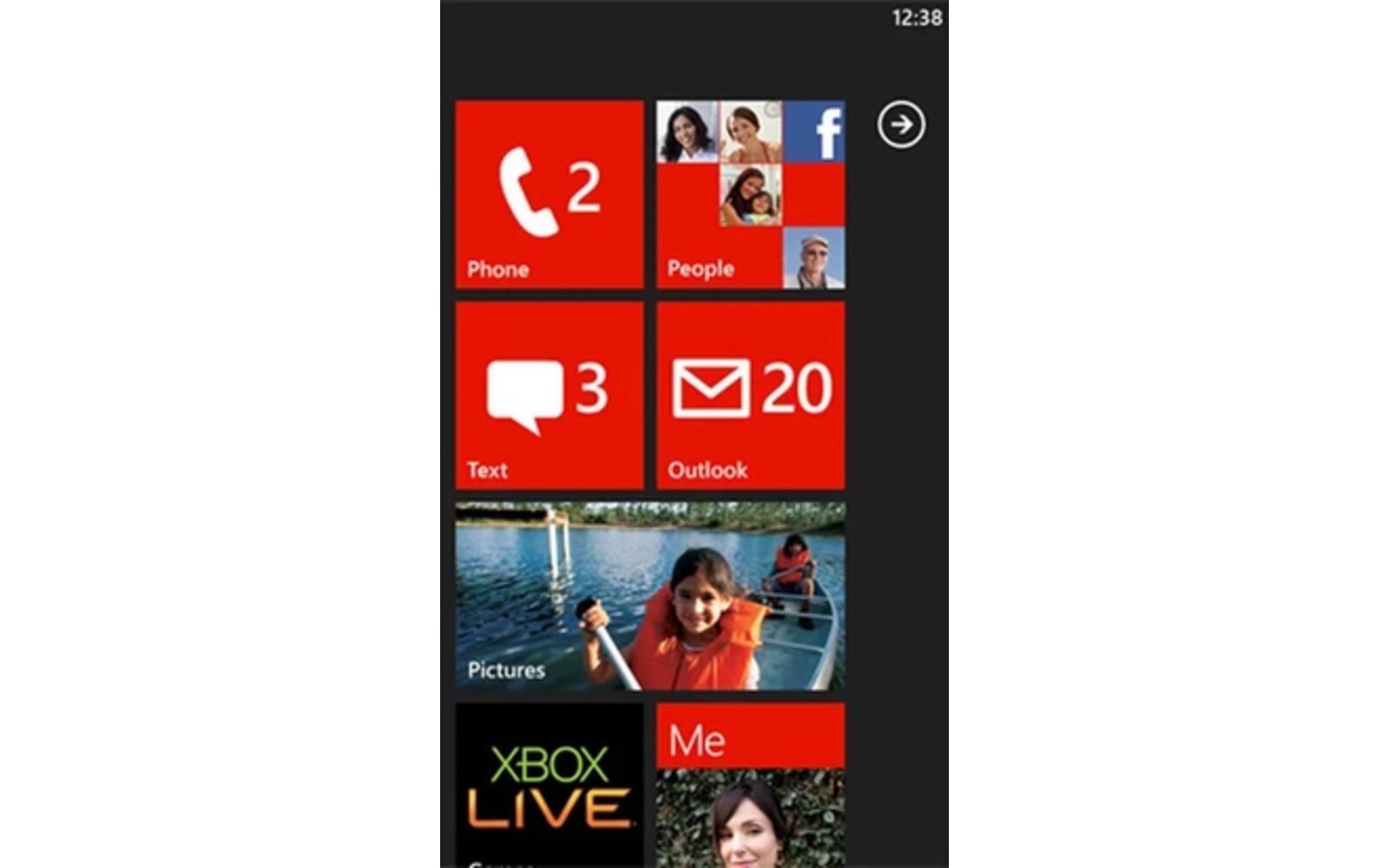
I’ve just compiled a relatively long list of all the most important new features that are going to be introduced with Windows Phone 7 Mango later this fall. Some features are still probably missing either because they haven’t been announced yet or because I forgot about them so feel free to let me know in the comments and I’ll update this list. You will notice that there’s obviously less that 500 features which is the official PR claim. Unfortunately Microsoft isn’t saying what is exactly counted as new feature so I’m going to guess that it’s mix between some of the new APIs and end-user functionalities. Hit the break to check the most important features:
People, Messaging, Outlook:
– Twitter, LinkedIn, Viadeo integration in the People Hub
– Groups: Organize contacts by groups which can also be pinned on the start screen
– Contact cards now include all the contacts conversation history (sms,mails,mms etc..)
– Facebook Places check-in support
– Windows Live Messenger and Facebook Chat integration
– Threads: All messaging communication organized in a single thread (IM+SMS/MMS)
– Threaded email conversations support
– Outlook Tasks support
– Facebook events integrated into the calendar
– Linked mail accounts: Multiple email accounts can be combined and linked into one inbox.
– Built-in voice-to-text/text-to-voice functionality, which will allow for hands-free texting or chatting.
– Server Search (Exchange)
– Complex (alpha-numeric) password support
– Information Rights Management support for protecting e-mails and Office documents
Bing:
– Bing Vision: barcode, covers, posters, products scanning and OCR text translation
– Bing Audio / Music Search; Shazam like audio search
– Bing Local Scout: Around me business locator
– Bing Quick Cards: Product/Media information, reviews
– Bing Maps: Indoor Maps (US Only)
– Bing Search: Image search results
– Bing Search: Extras / App Connect
– Bing Maps: Turn-by-Turn navigation Voice guidance
Office Hub:
– Skydrive and Office 365 documents syncing. (PDF supported but Adobe PDF app required to view them)
– Excel Mobile now supports Sum function
– Microsoft Lync support via downloadable application
Pictures Hub:
– Direct access to the camera roll
– People / Groups photo gallery (Skydrive and Facebook syncing)
– People tagging in the photos (Skydrive and Facebook syncing)
– Photo Auto-Fix: Automatically improves sharpness, brightness etc..
– Picture Hub Tile is now animated
– Video sharing via MMS and Email
– Video uploads to Facebook
Music & Video:
– Zune SmartDJ Mix support
– Artist picture now displays on lock screen when music is played
– UI change of the media controls on the lock screen
– Ability to resize video aspect-ratio during playback
– Single music track repeat without having to pin it on the start screen
– Podcast downloads / Subscriptions
– Open / Play media content by voice
Marketplace:
– Revamped Marketplace UI and search
Camera:
– Disable/Enable Shutter sound
– UI changes (new icons + added arrow icon on the lower left of the viewfinder to indicate camera roll)
– Settings are now saved when the Camera application is closed
Xbox / Games hub:
– Re-designed games hub
– 3D Avatar
– Avatar customization is now integrated in the OS
– Friends and achievement now integrated in the hub
IE9 Mobile:
– Hardware accelerate HTML5 rendering
– Support for HTML5 video playback (through the native media player) and Background Audio
– Geolocation
– New JavaScript Engine
– New UI with URL bar at the bottom of the screen
– UI now available in landscape
Other OS changes:
– Third party applications Multi-Tasking and fast application switching
– Battery Saver: Enabling this feature will allow the phone to automatically disable power consuming services and application running in the background.
– Hardware search button will now always access Bing Search. A search Icon is now added in the native apps to search in them.
– Ringtone manager
– Search icon and Jumplist added to the application list
– 16 new languages supported
– East-Asian hand-written recognition
– New on screen Keyboard with support for new languages and emoticons
– New Live tiles (can have content displayed on the front and back)
– Live Tasks and Background agents
– App Connect: Deep linking into third party applications. A specific application feature can also be pinned on the start screen
– Hidden WiFi network support
– Optional 32bit color support for Silverlight applications
– Silverlight 4 support with all of its 1500+ APIs
– Silverlight + XNA support in the same application
– Raw Camera feed access
– New Sensor API (Compass, gyro, Accelerometer)
– New Listbox control with improved scrolling performances
– New WebBrowser control uses IE9 rendering engine
– Clipboard API
– Hardware accelerated video decoding in the Mediaplayer control
– TCP/IP Sockets support
– SQL Compact 4.0 engine Embedded Database
– Background file transfer
– Generational Garbage Collector
– NEON/SIMD support for XNA applications
– Qualcomm MSM7X30 and MSM8X55 SoCs support
For more information on Mango you can checkout my hands on preview here, some of the new features in action here and more info on the APIs and speed improvements here and here.
Buyer action
Where to buy or check next
Use this as the final check before ordering a phone, changing network or trusting a headline monthly price.